Enhance prompt using Playground AI
Hi Everyone, This is Daniel from f&D. In this video, We are going to see How to enhance prompts using Playground AI to get better AI Images.
00:00 About
00:13 Intro
00:22 Playground AI
00:28 Image generation without Enhancing
01:15 Image generation with Enhancement
02:29 Copy Prompts
03:22 Conclusion
Thanks for Watching
Also Watch:
Consistent Character in Playground AI - https://youtu.be/rxqY07IhHCA
Subscribe us:
http://bit.ly/Subscribe-fandD
Showing posts with label Playground Ai. Show all posts
Showing posts with label Playground Ai. Show all posts
Thursday, January 4, 2024

Thursday, July 13, 2023
Easy Image Editing with Playground AI | Generative Fill Alternative
Give Instruction to Edit Images in Playground AI
Hi Everyone, This is Daniel from f&D. In this video, We are going to see How to Edit your Images by just giving instructions using Playground AI. Using this you can tell the Playground AI what to edit, add, replace or modify by just adding instructions. This can be used as the alternative for Generative Fill of Photoshop.
Website: Playground AI
Steps:
00:00 About
00:13 Intro
00:20 Playground AI
00:25 Import Image
00:43 Basic Features
01:20 Instructions to Edit
02:50 Add Masking to Edit
05:17 Edit AI Generated Images
05:41 Conclusion
05:48 Outro
That's it. Thanks for Watching
Also Watch
Consistent Character in Playground AI - https://youtu.be/rxqY07IhHCA
Subscribe us:
http://bit.ly/Subscribe-fandD
Thursday, June 15, 2023
Playground AI Complete Beginner Tutorial | Free Midjourney Alternative
Playground AI Basic Tutorial | Stable Diffusion | Free AI Image Generator
Hi Everyone, This is Daniel from f&D. In this video, We are going to How to use Playground AI. This is the complete basic tutorial on Playground AI. Playground AI is the ai image generating website, where you can generate AI images upto 1000 per day for free using the stable diffusion 1.5, stable diffusion 2.1 and playground v1 models. You can also generate images using DALL-E 2 model in paid version. Playground AI is the free Alternative for Midjourney.
Playground AI
Steps:
00:00 About
00:15 Intro
00:22 Playground AI
01:25 User Interface
02:29 Prompt
02:50 Filters
03:43 Negative Prompts
04:35 Image to Image
05:53 Models
06:59 Image Sizes
07:38 Prompt Guidance
08:21 Quality & Details
08:47 Seed
09:44 Samplers
11:49 Number of Images
12:24 Reference from Community
14:22 Post Generation
15:24 Profile
16:08 Conclusion
16:24 Outro
Thanks for Watching. Hope you learnt How to use Playground AI to generate AI Art for Free.
Also Watch:
How to use Stable Diffusion in Colab Easy: https://youtu.be/2RDVlPuHM_Y
Subscribe us:
http://bit.ly/Subscribe-fandD
Subscribe to:
Posts (Atom)
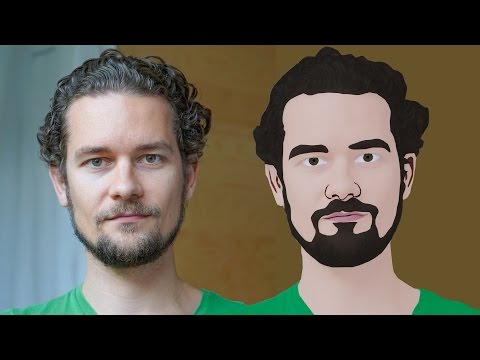
GIMP Cartoon Effect Tutorial
Hi Everyone, In this video I'm gonna show you How to create a Cartoon Version of Yourself or Someone using the Open Source Software...
-
Make your Image sing and vibe for a Song using an Android App Hi Everyone, This is Daniel from f&D. In this video, We are going to see ...
-
Photopea - Neon Text Effect Tutorial Hi Everyone, In this video I'm gonna show you How to make Neon Text Effect in Photopea. This phot...

