Blend Images in Midjourney using Blend Command and Imagine Command
Hi Everyone, This is Daniel from f&D. In this video, We are going to see How to use Blend feature and Imagine feature to blend two or more images and generate ai images. Blend command is very useful to blend two images but imagine command can be used to blend more than 2 images.
Steps:
00:00 Blend Images in Midjourney
00:22 Intro
00:29 Blend command features
00:39 Blend two images with blend
01:24 Blend two images using Imagine
01:48 Comparison
01:56 Blending 5 Images
02:58 Blending 4 Images
03:27 Imagine command with prompts
05:32 Different Art Styles
06:55 Conclusion
07:34 Outro
Thanks for Watching
Also Watch:
Describe Command - https://youtu.be/XRgcYIcRzh0
Subscribe us:
http://bit.ly/Subscribe-fandD
Showing posts with label Midjourney. Show all posts
Showing posts with label Midjourney. Show all posts
Sunday, May 28, 2023

Tuesday, May 2, 2023
Get the Perfect Prompt for Your Images with Midjourney's Describe Feature
How to use /describe command in Midjourney
Hi Everyone, This is Daniel from f&D. In this video, We are going to see How to use Describe Feature in Midjourney. Simply upload your image using describe commant and let Midjourney provide the perfect prompt for stunning results. Midjourney will give 4 prompts for the given image and you can use those as it is or you can change the prompts. So basically used to reverse enginneer the prompts.
Steps:
00:00 About /describe command
00:17 Intro
00:25 How to use Describe feature
01:13 How to use the prompts from describe
02:33 Use Describe for photography
05:13 For Interiors and Art Styles
06:21 Conclusion
06:37 Outro
Thanks for Watching.
Also Watch:
Upscale AI Images: https://youtu.be/1uFddBCjgGU
Subscribe us:
http://bit.ly/Subscribe-fandD
Saturday, April 1, 2023
Free Midjourney V5 Alternative | Discord | Unlimited Free Images | Bluew...
Free Midjourney Alternative - Bluewillow AI
Hi Everyone, This is Daniel from f&D. In this video, We are going to see the Free Alternative for Midjourney V5. Since Midjourney has locked its Free Trial for temporary period, there is another AI Image Generator which you can use it on discord which is called Bluewillow AI.
This Bluewillow which is pretty much similar to Midjourney. Even the initial command is 'imagine' which we use on midjourney and then we type the image or text prompts and then parameters.
Like in Midjourney we also have V and U buttons which means variations and upscale respectively. So Bluewillow AI is the perfect alternative for Midjourney.
Wednesday, March 15, 2023
How do I use Midjourney AI | Getting Started with Midjourney AI
Midjourney Beginner Guide (A.I. Art)
Hi Everyone, This is Daniel from f&D. In this video, I'm gonna show you How to generate A.I. Images using Midjourney. It is the discord server where you can type your prompt and convert into image. Basically it is the text to image generator.
Notes:
To generate images using Midjourney, you need to have a discord account. Create a new discord account and login using that. Then go to Midjourney website and join the beta. After that you can use the Midjourney bot as I mentioned in the video.
Websites:
https://www.midjourney.com/
https://discord.com/
00:00 Introduction
00:08 Channel Intro
00:15 Discord Account
00:54 Joining Midjourney Server
01:13 Verify your E-mail
01:32 Midjourney Info
02:50 AI Image Generation
06:06 Midjourney Subscription
06:55 Outro
Thanks for Watching
Also Watch:
Easy Way to Remove Background using Photopea with Photoroom - https://youtu.be/F24nNBEJ7Kw
Subscribe us:
http://bit.ly/Subscribe-fandD
Subscribe to:
Posts (Atom)
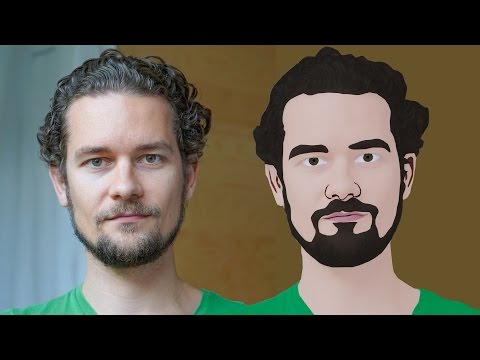
GIMP Cartoon Effect Tutorial
Hi Everyone, In this video I'm gonna show you How to create a Cartoon Version of Yourself or Someone using the Open Source Software...
-
Make your Image sing and vibe for a Song using an Android App Hi Everyone, This is Daniel from f&D. In this video, We are going to see ...
-
Photopea - Neon Text Effect Tutorial Hi Everyone, In this video I'm gonna show you How to make Neon Text Effect in Photopea. This phot...

